Progression
How to unlock decorations in Drawquarium (tutorial and Golden Scales)
The decoration tool is not missing; it is gated. The first gate is the tutorial, and the second is Golden Scales. Here is the confirmed order.
Decorations are a common source of confusion because the game starts with a small toolset. The developer’s FAQ gives two answers: play the tutorial steps to unlock everything, and spend Golden Scales on brushes, templates, decorations and customisation. There is no full published catalog.
The tutorial gate
- Finish the opening tutorial in the top-right of the screen.
- Unlock more aquariums through the tutorial steps.
- Move a fish between aquariums when that step appears; it is part of the unlock path.
- Check the decor tool again after the tutorial completes.
The developer says the tutorial is intentionally quick. If you closed it, look for the prompt rather than restarting the game. This is onboarding, not a bug.
Golden Scales unlocks
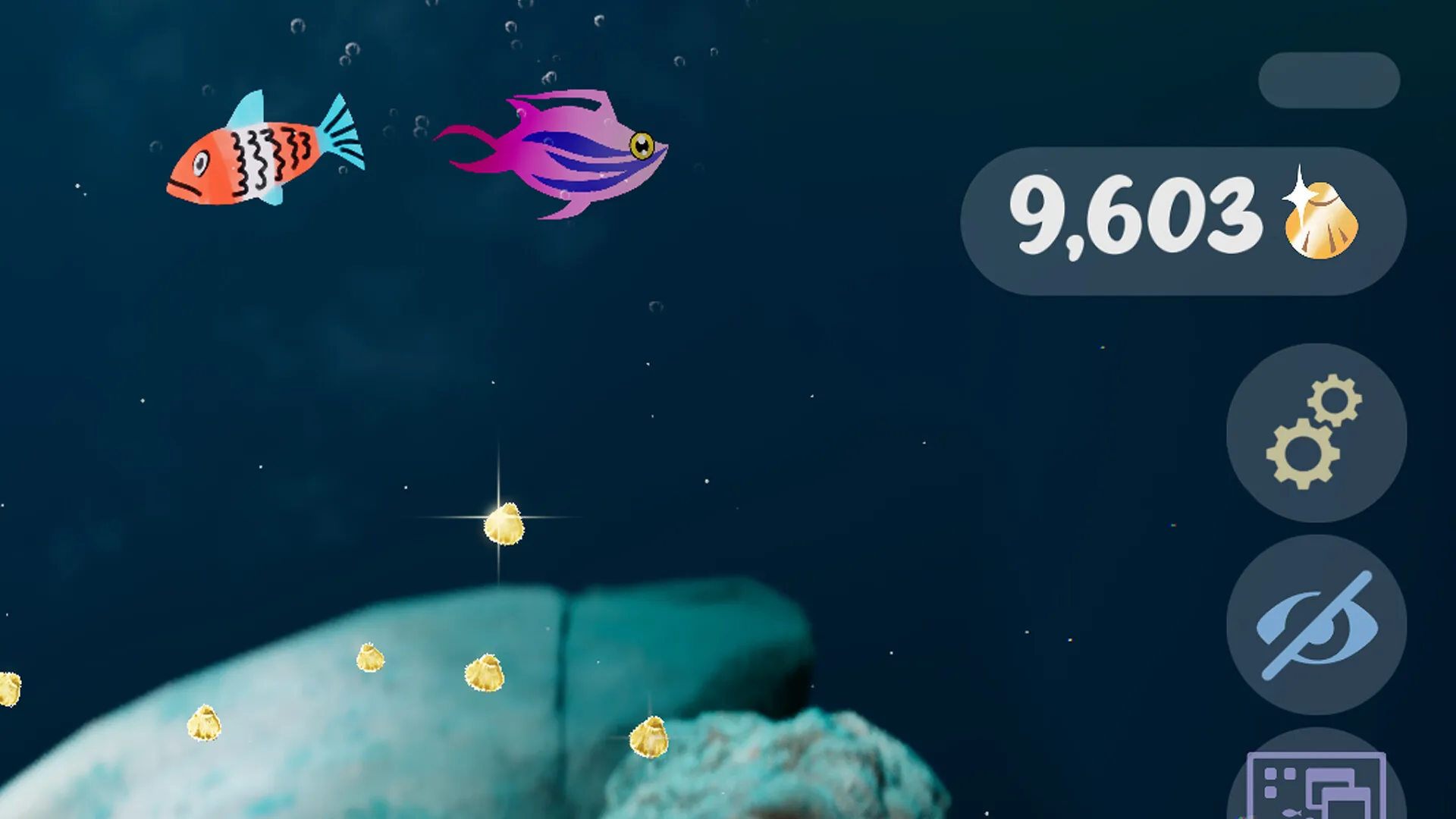
Golden Scales are the progression currency. The developer lists brushes, templates and customisation options; the store also mentions new decorations and tools. The category is broad, so the useful question is not “what is cheapest” but “what improves the way I play”.
Brushes
The most direct improvement to the editor.
Templates
Body, plant, eye and fin starting points.
Decor & customisation
Rocks, driftwood, substrate, lighting and scene options.
The one known price
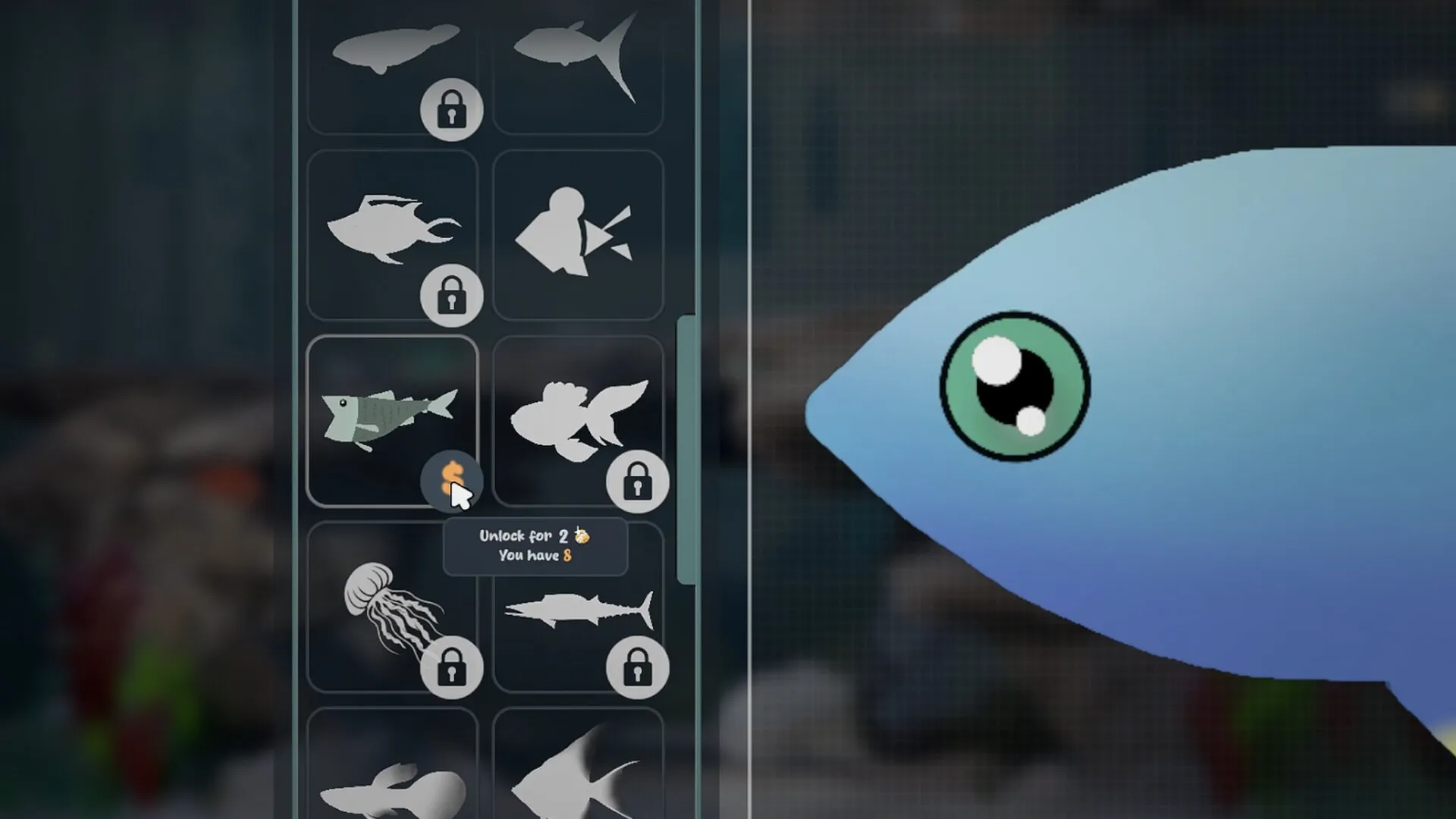
One official screenshot shows a locked fish template with “Unlock for 2 [Golden Scales] — You have 8”. That is a real data point for one template. It does not establish a price for every decoration, and it does not prove that costs scale with progress.
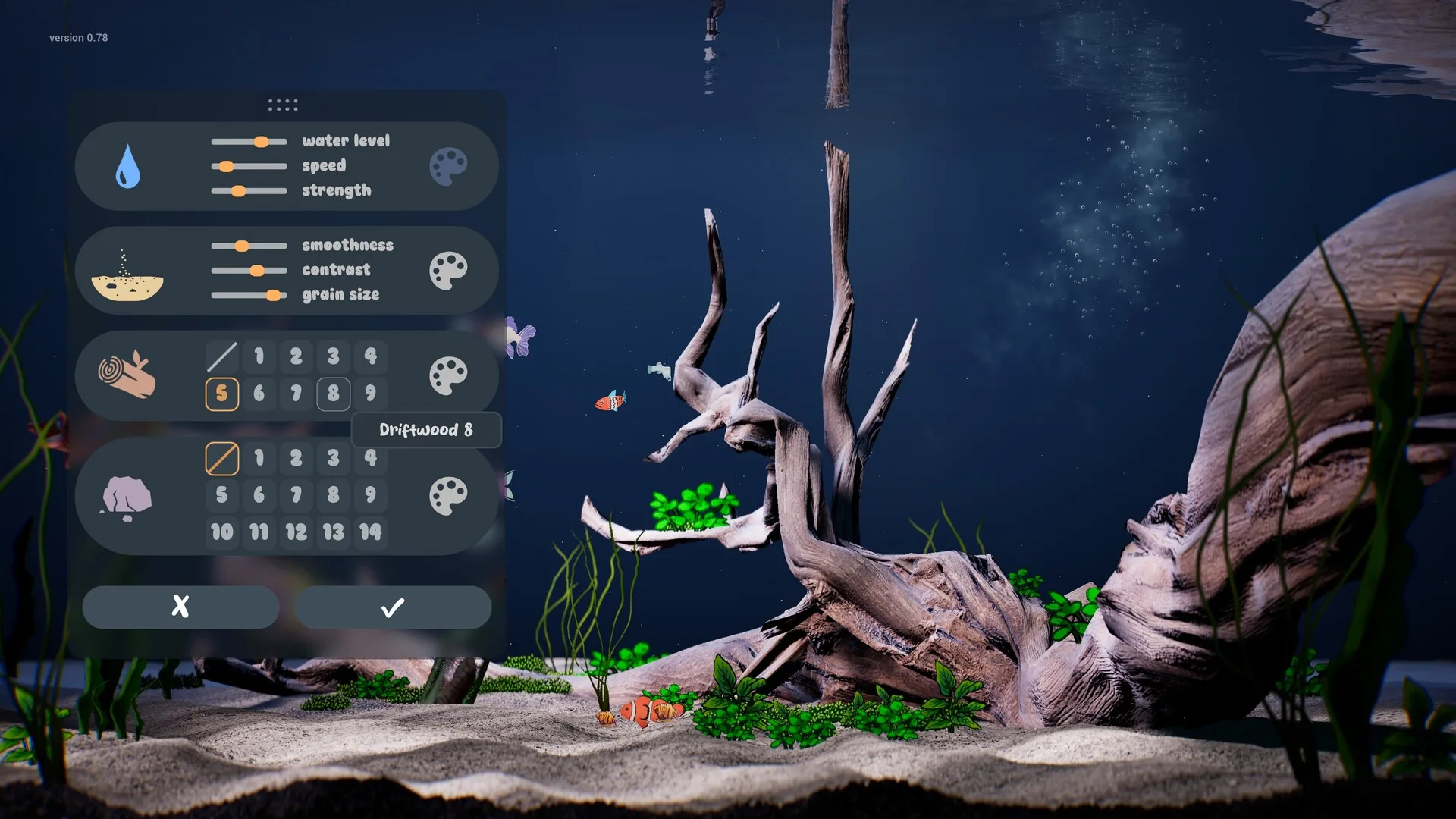
What decor controls exist
- Substrate: sand type, grain size and contrast.
- Hardscape: rocks and driftwood variants.
- Water: level, speed and surface movement.
- Lighting: colour, caustics and glow.
- Plants: drawn and placed, with a removal tool that also works on decorations.
- Extras: bioluminescence and Disco Mode.
What to unlock first
- A brush or fill upgrade you will feel every session.
- One versatile template or eye/fin pack.
- One hardscape shape you will reuse rather than many small decorations.
- Lighting and substrate after the editor feels good.
- Novelty items for a second or themed tank.
Decor FAQ
How do I unlock decorations in Drawquarium?
The developer says decorations unlock through the opening tutorial. Golden Scales also unlock brushes, templates and customisation. There is no published full catalog or price list.
Why is the decoration tool locked?
The tutorial gates it. The developer says to play the tutorial steps to unlock everything, and moving fish between aquariums is one of those steps. Look for the top-right tutorial prompt.
Do decorations cost Golden Scales?
Some do. Golden Scales are the progression currency for brushes, templates, decorations and customisation. One official screenshot shows a template at 2 scales, but that is not a full price list.
Can I remove decorations?
Yes. The developer says the plant removal tool also works on decorations.
Are decorations cosmetic?
Mostly. Rocks, driftwood, substrate, water level and lighting change the look and can affect how readable the tank is. They do not appear to change fish stats.
Advertisement
Sources for this page
Checked November 16, 2026Listed claims on this page were checked against the records below. If a detail is not in these records, it is labelled as unconfirmed rather than presented as fact.
- 01 Drawquarium FAQ (developer thread) — rokaplay / Steam Community (developer)
Pinned November 10, 2026 FAQ, rechecked after launch: demo fish and aquariums carry over, no achievements yet, Linux/Steam Deck not officially supported, PNG import guidance (850×850 for a big fish), no layers, pressure settings, zoom and colour shortcuts, clone instead of rename, plants unlock from a ground fish, pause while drawing if it slows down, and how to leave feeding mode.
- 02 How do I unlock decorations and move fish? (developer reply) — Steam Community / byKaleb
Developer reply: play the tutorial steps to unlock everything; moving fish between aquariums is one of those steps.
- 03 Drawquarium on Steam — Valve / byKaleb / rokaplay
Store description, release date, languages, features, requirements, tags, bundles and platform list. Checked November 16, 2026: released November 13; $9.59 with a 20% introductory offer ending November 27; Steam Deck Playable; 17 screenshots; two trailers; eight bundles; Steam Cloud, Family Sharing and single-player listed; no achievements. The page shows Very Positive (325 reviews, 98% positive).
- 04 Drawquarium customer reviews on Steam — Steam Community
Review snapshots: launch evening (21:30 UTC, November 13) was Very Positive with 100% of 57 Steam-purchaser reviews positive. On November 16 the page showed Very Positive with 98% of 325 Steam-purchaser reviews positive, 359 total including key activations and 6 negative. Reviews describe PNG import, feeding behaviours, cleaning, breeding, moving fish between aquariums, performance and multi-monitor Wallpaper Mode.
Read how we classify evidence in our editorial policy.
Quick status