Desktop & focus
Drawquarium Wallpaper Mode: what it does and what to check first
Wallpaper Mode is the feature that makes Drawquarium more than a game you open. It is also the feature most likely to be misunderstood before release. Here is what is actually documented.
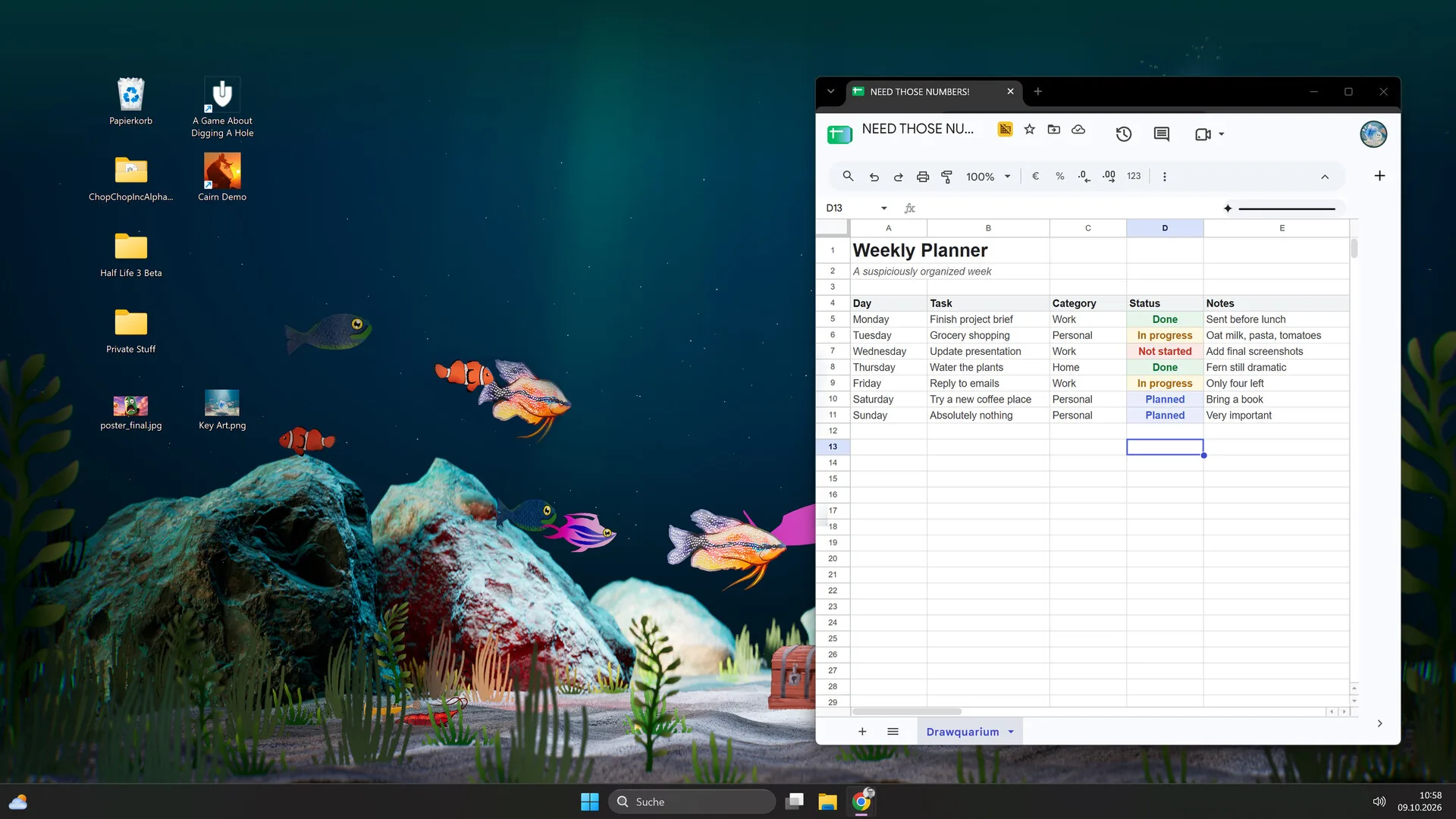
The developer calls Wallpaper Mode “such an important part of the game”. It keeps the aquarium on the Windows desktop behind your open windows, and the store says you can observe, feed and play with the fish there. The September 2026 update says it became more reliable and that audio continues properly when switching modes.
What Wallpaper Mode does
Drawquarium is not a third-party wallpaper engine. Wallpaper Mode is built into the game: the same aquarium, fish and decorations you see in the normal view are rendered on the desktop. This is confirmed by the store page and by the official screenshots, which show the tank behind a spreadsheet, a calendar and normal Windows icons.
You can still interact. The store says you can observe, feed and play with your fish while the aquarium is on the desktop. That makes it closer to a desktop companion than a static wallpaper.
What your PC needs
The listed minimum is 64-bit Windows 10, 8 GB RAM, a GTX 1060 / RX 580-class GPU, DirectX 12 and 700 MB of storage. Minimum and recommended entries are identical, so there is no separate “wallpaper-friendly” spec.
A continuously animated 3D scene is a different workload from a short drawing session. If your PC is near the minimum, the demo is the right place to test it. Our browser checker can verify OS, reported RAM and CPU cores, but not the GPU model — check that in Windows Task Manager or your GPU vendor’s utility.
What setup involves
The public material confirms the mode exists but does not publish a click-by-click menu path. Rather than invent one, here is the honest sequence to expect:
- Install the full game (Wallpaper Mode is not described as a demo-only feature, but the current demo’s feature set is uncertain).
- Launch it once in the normal window so the game can create its save data.
- Open the pause/settings area and look for a wallpaper, desktop or display-mode option.
- Choose the aquarium you want to display, then enable the mode.
- Switch to your desktop and confirm the tank is visible behind your windows.
- Adjust audio and quality settings to taste; the developer says audio continues properly when switching modes.
Audio behaviour
The developer says audio continues properly when switching modes, and that players can mix underwater and ambient sounds. That is good news for a desktop companion: you can leave the tank running without silence, or mute it while working.
What is not documented: whether audio automatically pauses when another app plays sound, whether there is a separate wallpaper-mode volume slider, or how the game behaves with multiple audio devices. Treat these as things to test on your own setup.
Performance and battery
Any animated wallpaper costs something. The useful questions are how much GPU the tank uses when idle, whether it throttles to a lower frame rate when another window is focused, and whether it keeps rendering when the desktop is locked. The store page does not answer any of these.
Practical advice:
- Test it on battery before relying on it for a workday.
- If you play a game, switch Wallpaper Mode off or close Drawquarium; two 3D applications competing for the GPU is a bad trade.
- Use the lowest quality setting that still looks acceptable to you. The tank is usually viewed indirectly.
- Check Windows’ power mode and GPU scheduling only if you see stutter; do not change system settings preemptively.
Known limits
| Question | Status |
|---|---|
| Windows PC support | Windows 10 64-bit listed |
| Fish can be fed on the desktop | Official |
| Audio continues across mode switches | Developer statement |
| Multiple monitors | Not confirmed |
| Separate wallpaper-mode volume | Not confirmed |
| Wallpaper remains after closing the game | Not confirmed |
| macOS support | Not listed |
General troubleshooting (not game-specific)
We have not tested the released build, so we will not present invented fixes. These are ordinary Windows checks that apply to any animated desktop app:
- Black or frozen desktop: close and relaunch the game, then check for a pending Windows or GPU driver update.
- Low frame rate: lower the game’s quality settings, close other GPU-heavy apps, and check whether the PC is on a power-saving profile.
- No audio: confirm the correct output device in Windows and check the game’s own volume/mute state.
- Wallpaper disappears when a full-screen game launches: this is normal for many desktop overlays; it is not necessarily a bug.
If a problem persists, report it through the rokaplay Discord or the Steam community hub. Include your Windows version, GPU model and whether the issue happens only in Wallpaper Mode.
Is Wallpaper Mode the reason to buy?
For some people, yes. The idea of a living tank you can feed between tasks is the emotional hook of the game, and the developer has invested heavily in it. For others, an animated background is a distraction and a battery cost. The demo is the only honest way to find out which person you are.
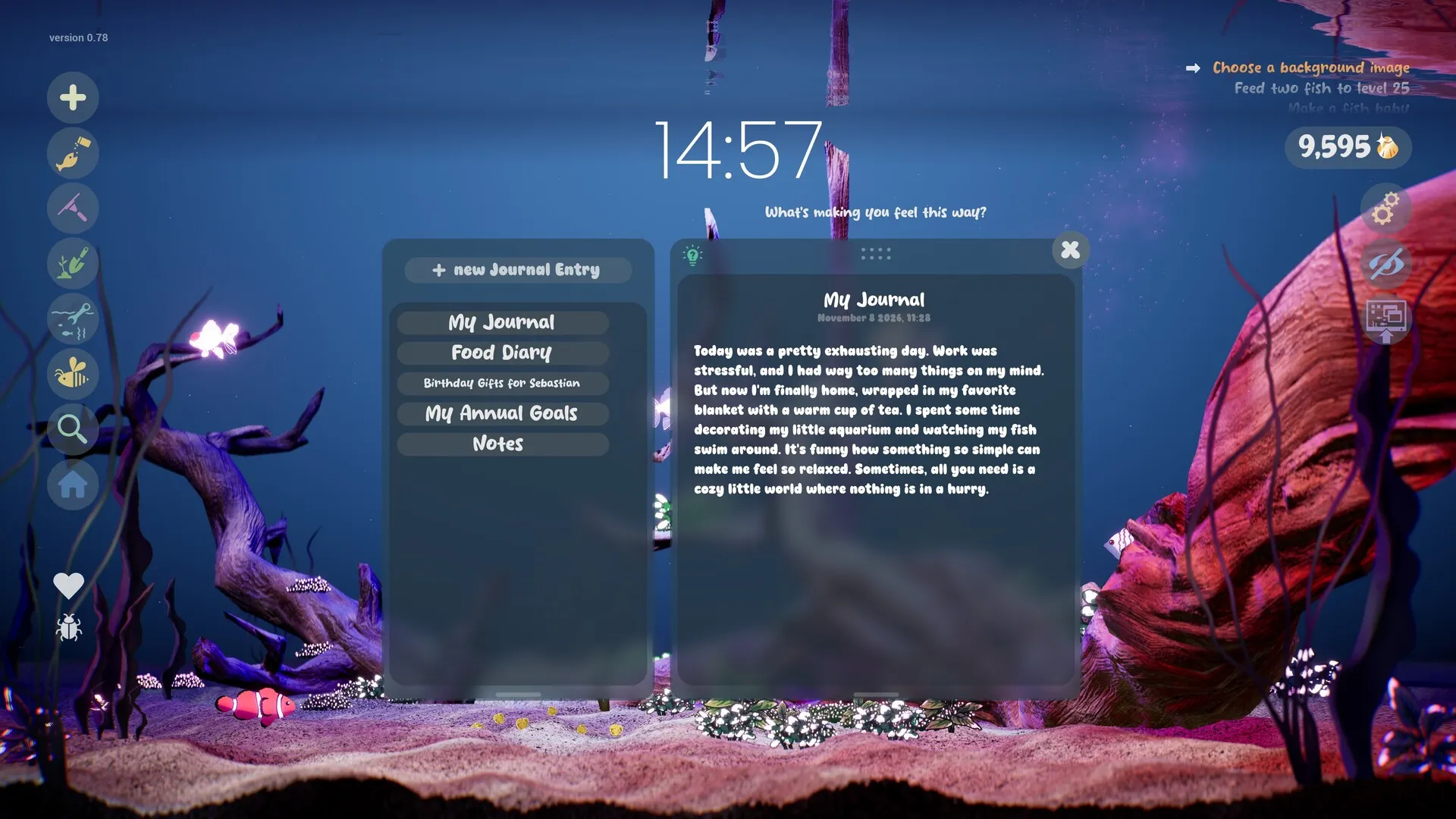
If you like the idea but do not want the game running all day, the journal, checklist, timer and clock still work in the normal window. You can treat Wallpaper Mode as an occasional mode rather than the default. The focus tools guide covers that workflow.
Sources for this page
Accessed November 1, 2026Listed claims on this page were checked against the records below. If a detail is not in these records, it is labelled as unconfirmed rather than presented as fact.
- 01 Drawquarium on Steam — Valve / byKaleb / rokaplay
Store description, release date, languages, features, system requirements, tags and platform list.
- 02 Drawquarium has changed a LOT since the demo in May — Kaleb Lechowski (Steam announcement)
September 18, 2026 list of added and improved systems since the first demo.
- 03 Drawquarium is Coming to Steam on November 13! — Kaleb Lechowski (Steam announcement)
Release date announcement published October 26, 2026, with the release-date trailer.
Read how we classify evidence in our editorial policy.
Quick status