Free demo · Steam app 4331760
The Drawquarium demo: what you get, and what it is not
The demo is a real, free build you can play now. It is also a separate app with a smaller feature set than the full game, and its contents have changed since Steam Next Fest. Here is the version that the official record actually supports.
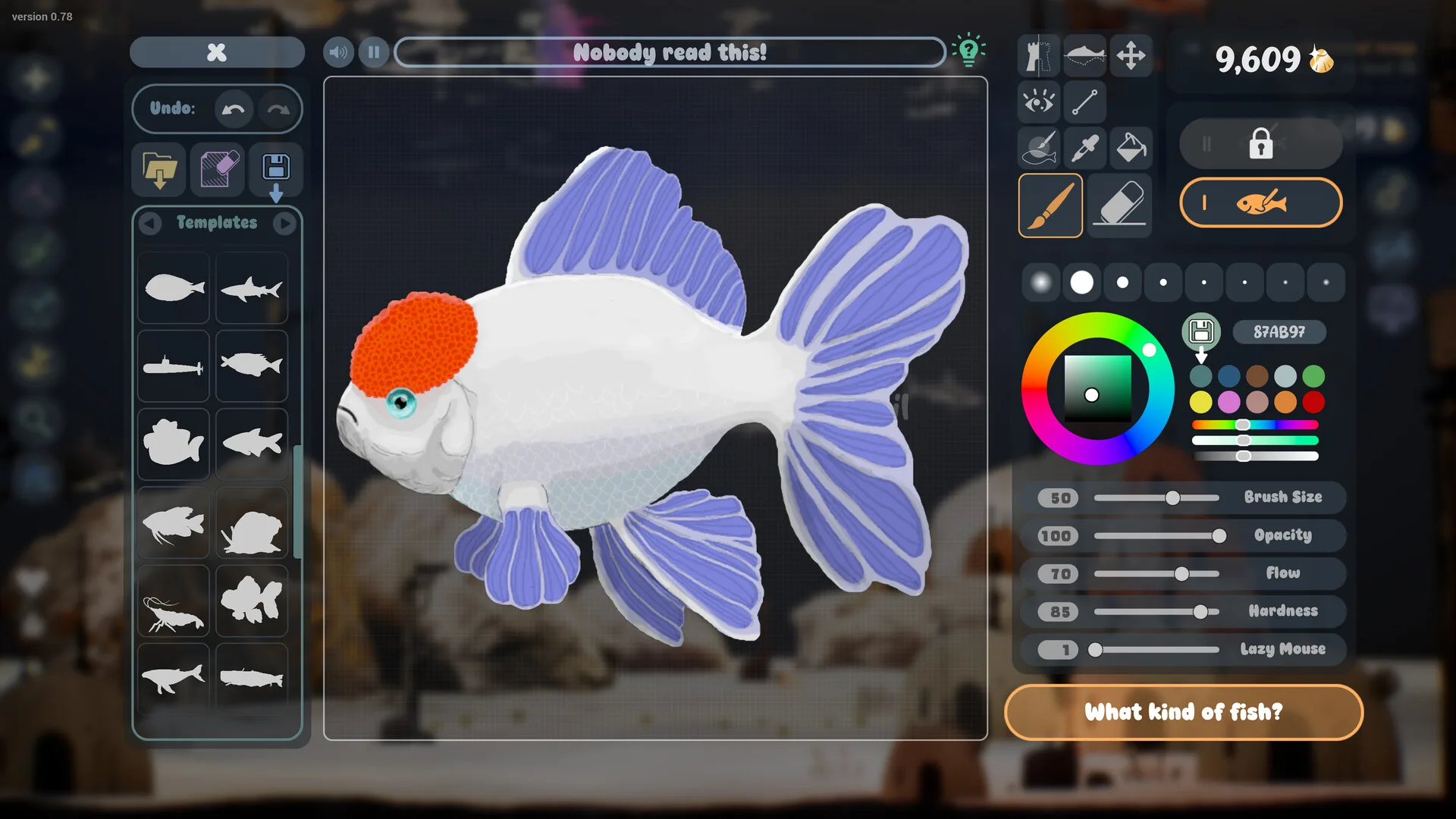
The demo exists, is free, and is listed on Steam. Everything below is about its contents, which are less certain.
What the demo is
The Drawquarium demo is a free Steam download (app 4331760) released on April 18, 2026. It is not a browser demo and it is not the full game with a timer. It has its own store page and its own library entry. The full game is a different app (4045480).
The demo was originally released to give players a hands-on look at the drawing and care loop. It was part of Steam Next Fest in October 2026, during which the developer temporarily unlocked more features for the Creative Event.
How to install it
- 1 Open the Drawquarium Demo page on Steam (app 4331760). It is a separate store page from the full game.
- 2 Choose “Download” or “Play” — the demo is free and does not require a pre-order or a key.
- 3 Steam installs it as its own app, with a separate library entry from the full Drawquarium.
- 4 Launch it, draw a fish and check that the editor responds well to your mouse or pen tablet.
- 5 Before you invest hours, read the feature-set caveat below. The demo has changed since Next Fest.
The demo requires 64-bit Windows 10, 8 GB of RAM, a GTX 1060 / RX 580-class graphics card, DirectX 12 and 700 MB of storage. Those are the same numbers as the full game’s listing. If your PC is below them, the demo is the safest way to find out how it behaves before buying.
What is inside the demo
The demo store page describes a surprisingly complete slice: drawing fish, plants and food; importing your own images; templates; bottom-feeding fish that eat leftovers; cleaning muck; Golden Scales; metallic shimmer; weekly themes; bubbles and glass-tapping interactions; and a built-in to-do list. The full game page adds relationships, breeding, lighting, bioluminescence, Disco Mode, the journal, timer and Wallpaper Mode.
Some of those “full game” features were available in the Next Fest build. That is exactly why the current demo is hard to describe with a simple checklist: the developer said the feature set would be reduced afterwards, but did not publish a precise list of what would remain.
Demo vs full game
| Feature | Demo | Full game | Confidence |
|---|---|---|---|
| Drawing fish, plants and food | Yes, per the demo listing | Yes | Official |
| Importing your own PNG images | Yes, listed on the demo page | Yes | Official |
| Body templates and eye/fin stamps | Included, but some items may be locked | Full unlock tree | Demo build |
| Golden Scales and unlocks | Yes | Yes | Official |
| Growth, metallic shimmer and golden fish | Described on the demo page | Yes | Official |
| Relationships and breeding | Relationships described; breeding added later | Yes | Demo build |
| Tank cleaning with the vacuum | Listed in the September 2026 update | Yes | Demo build |
| Wallpaper Mode | Listed on the demo page | Yes, the flagship desktop use | Demo build |
| Journal, checklist, timer, date clock | To-do list listed; full focus suite added later | Yes | Demo build |
| Multiple aquariums / global fish list | Not confirmed for the current demo | Yes | Not confirmed |
| Price | Free | Not announced | Official |
“Full game” here means what the developer has said will be in the release build. It does not mean we have verified the release build itself — it is not out yet.
Save transfer: unconfirmed
The most common demo question is whether aquariums and fish carry into the full game. We found no official statement that promises it, and no official statement that rules it out. A Steam discussion asks the question directly; a forum request is not an answer.
Treat your demo tank as temporary. Keep the original PNGs, photos or sketches you used, and export or photograph anything you would be sad to lose. Do not follow save-file instructions written for a different game — save folder names, formats and cloud behaviour are game-specific, and copying the wrong folder can make things worse.
What we will do at release
Check the developer’s launch notes and the Steam discussions, then update this page with a confirmed yes or no. Until then, the answer is “not confirmed”, not “yes” or “no”.
Performance expectations
The demo is listed at around 700 MB and uses the same listed hardware as the full game. A small download does not mean a small workload: the aquarium is animated in 3D, and Wallpaper Mode is designed to keep running while you use other applications. The store requirements do not describe wallpaper-mode GPU usage specifically.
Our browser checker can confirm your operating system, reported memory and CPU core count, but it cannot reliably identify your graphics card. Use Windows Task Manager or your GPU vendor’s tool to check the actual model before assuming the demo will run smoothly.
Is the demo worth playing?
Yes, if you are curious about the drawing feel. It is free, it is the only official way to try the game before release, and the core interaction — draw a thing, watch it swim, feed it — is the part that matters most. It is a poor way to judge the final price, the full decoration set or the long-term relationship systems, because those are exactly the areas the demo does not fully represent.
If you already know you want the game, wishlist it on Steam and use the demo to make one fish you actually like. That is a better use of time than trying to unlock everything in a build that may reset.
Sources for this page
Accessed November 1, 2026Listed claims on this page were checked against the records below. If a detail is not in these records, it is labelled as unconfirmed rather than presented as fact.
- 01 Drawquarium Demo on Steam — Valve / byKaleb / rokaplay
Demo listing, free status, demo-specific feature bullets, system requirements.
- 02 Drawquarium on Steam — Valve / byKaleb / rokaplay
Store description, release date, languages, features, system requirements, tags and platform list.
- 03 The Demo Is Out Now — Kaleb Lechowski (Steam announcement)
April 18, 2026 demo release announcement.
- 04 The Demo Is Delayed — Kaleb Lechowski (Steam announcement)
April 17, 2026 delay post; says the game had almost 35,000 wishlists at that time.
- 05 Drawquarium Creative Event — Kaleb Lechowski / rokaplay (Steam announcement)
October 19, 2026 event post; states that the demo would be reduced to a smaller feature set after Next Fest.
- 06 Drawquarium has changed a LOT since the demo in May — Kaleb Lechowski (Steam announcement)
September 18, 2026 list of added and improved systems since the first demo.
- 07 Drawquarium Steam Community hub — Steam Community
Player discussions. Used only to identify open questions, never as proof of a mechanic.
- 08 Drawquarium Demo on SteamDB — SteamDB
Third-party record used only for the demo release timestamp and engine note.
Read how we classify evidence in our editorial policy.