Launch review
Drawquarium review: what 325 Steam reviews and launch week actually show
The game is out. Three days after launch, the review sample is large enough to be useful: 325 Steam reviews at 98% positive, six negative reviews, and a much clearer picture of what buyers praise and what still annoys them.
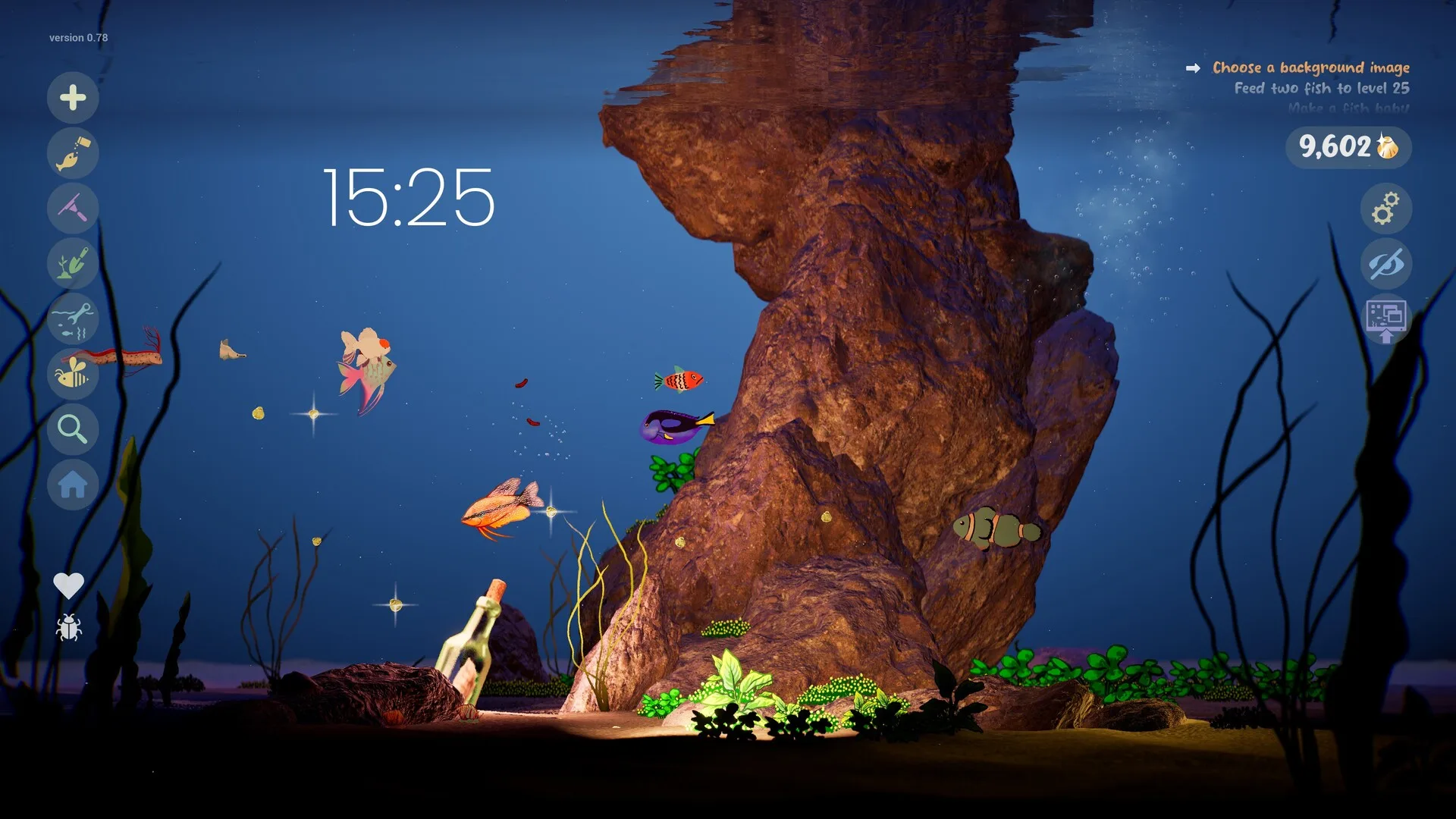
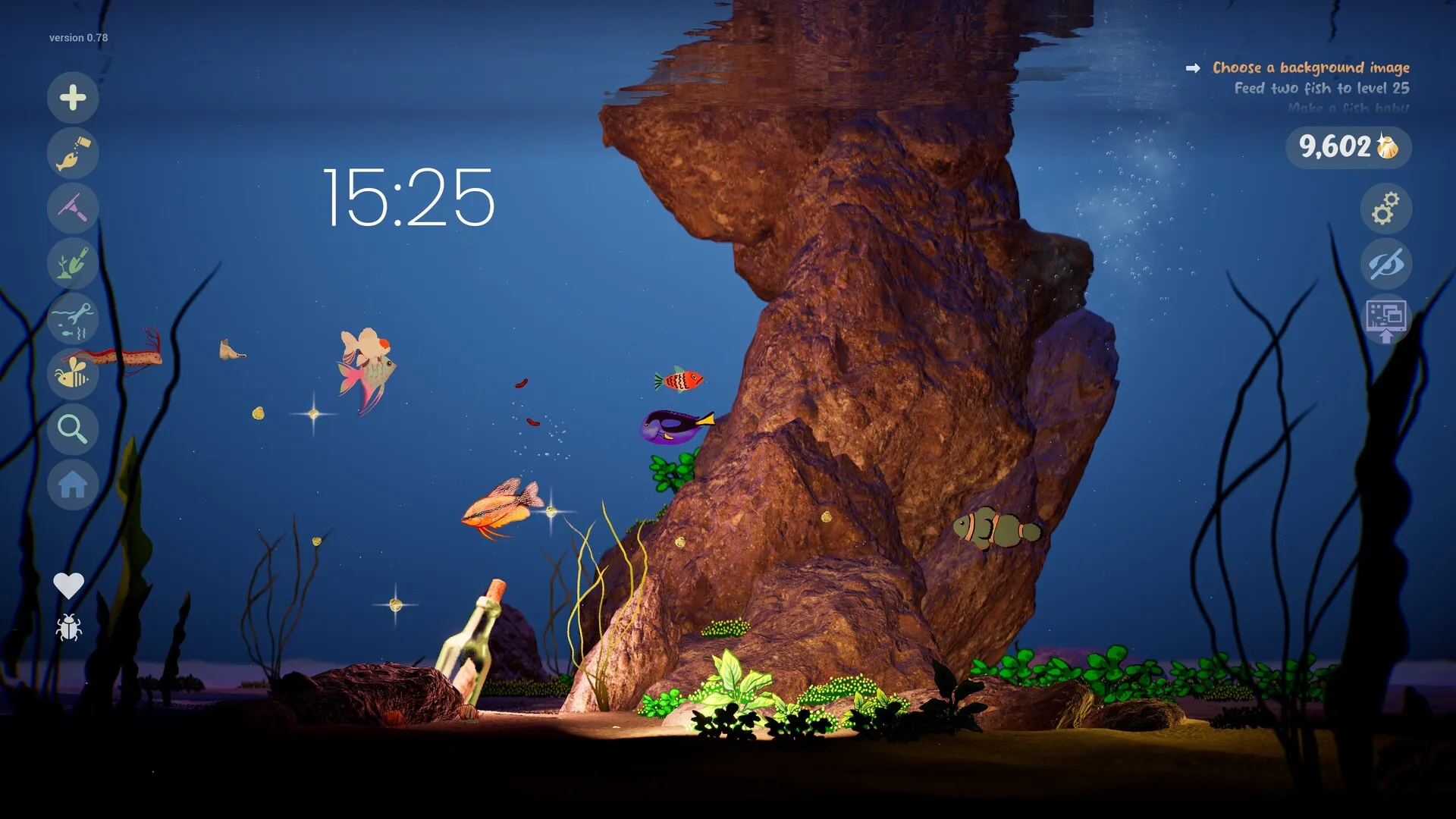
Drawquarium unlocked on November 13, 2026 at 14:00 UTC. On launch evening, Steam showed a perfect 100% from 57 Steam-purchaser reviews. By November 16, the sample had grown to 325 reviews at 98% positive — still Very Positive, with 6 negative reviews and 359 total including key activations.
This page is not a scored review based on a finished playthrough. It is a launch-week review roundup: what buyers praise, what they complain about, and what the store page now confirms that it did not confirm before release.
The launch-week score
| Signal | November 16 reading | What it means |
|---|---|---|
| Steam review summary | Very Positive | A stable early score, no longer a tiny launch-hour sample. |
| Positive share | 98% | 325 Steam-purchaser reviews; 359 including key activations; 6 negative. |
| Concurrent players | 710 | November 16 snapshot, not a peak. Launch evening was 847. |
| Price | $9.59 | 20% off $11.99 until November 27. |
| Steam Deck | Playable | Valve badge; developer still says not officially supported. |
| Achievements | None yet | Developer FAQ says “not yet”. |
Snapshot: Steam store and review pages, November 16, 2026. Review scores move; the live Steam page is authoritative.
What players praise
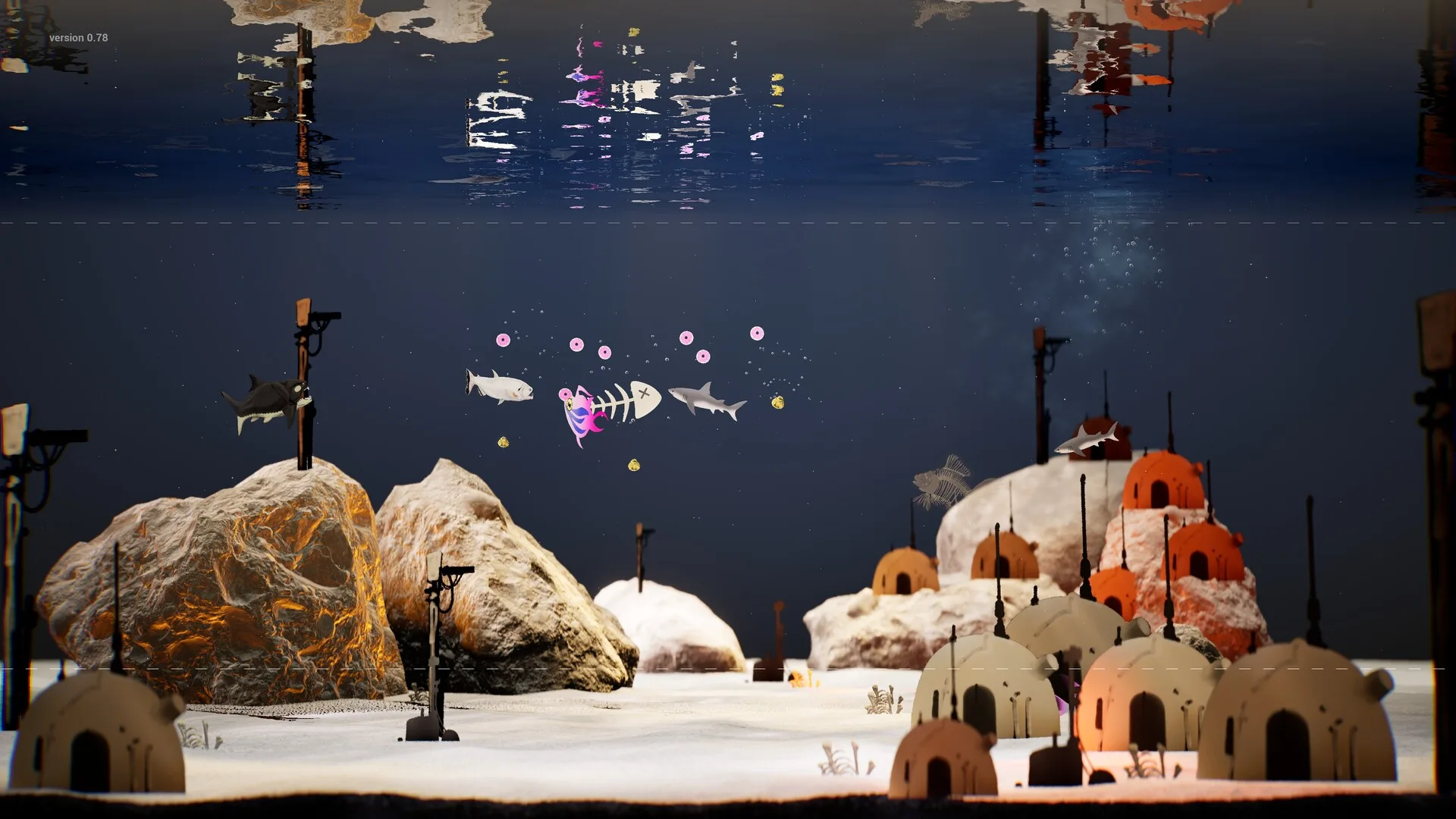
The positive reviews are not vague “cozy game good” posts. The recurring theme is that the sandbox is deeper than the trailer suggests. One detailed review describes drawing fish, importing transparent PNGs, configuring how creatures swim and grow, customising substrate, terrain, water level and lighting, and watching personalities and relationships develop. Another calls the atmosphere perfect for a relaxing evening and praises the background-noise options.
- The drawing-to-life loop lands. Players describe the moment a scribbled fish starts swimming as the whole point, and say the simple tools are enough.
- Importing is the escape hatch. Transparent PNGs let players bring in art made elsewhere, including phone drawings and children’s pictures.
- The simulation has more going on than expected. Feeding behaviours differ, bottom feeders wait for food to settle, uneaten food and waste need cleaning, and fish form friendships and pair bonds.
- Quality-of-life touches stand out. Players mention moving fish between aquariums, rearranging rocks without replanting everything, and the journal, task list and timer.
- The price feels fair. At $9.59, several reviews frame it as a small, handmade toy rather than a full-price management game.
The most useful review for undecided buyers is the long one that starts with “I bought this for my nine-year-old niece”. It is funny, but it also lists the systems accurately: fish personalities, feeding behaviours, cleaning, breeding, decor controls, the camera and the desktop layer. That is a better feature summary than most store copy.
What they complain about
Six negative reviews now exist, but most complaints still sit inside positive posts. They are still worth reading before you buy.
- Wallpaper Mode UI can hide behind the taskbar. One player says the button to leave wallpaper mode ended up behind the Windows taskbar and moving it to the top did not bring it back. The developer’s known-issues thread covers this; the taskbar/tray route is the workaround to try.
- Wallpaper Mode can make the GPU work. A player with a self-described potato PC likes the mode but does not want to leave it running because the GPU gets loud. The launch post explains Sleep Mode and quality settings; this is the first thing to tune.
- The drawing tools are intentionally simple. No layers, no copy/paste of part of a drawing, and a masked brush instead. If you expect Photoshop, import a PNG instead.
- Workshop support is not there yet. A reviewer asks for it because they cannot draw well. The developer has not announced Workshop integration.
- Multiple monitors are mixed. One player says the aquarium stretched across multiple screens looks awesome; another hits the taskbar/return-button problem. It can work, but it is not a documented supported matrix.
Performance and Steam Deck
The store lists a modest floor: Windows 10 64-bit, a quad-core i5-8400 or Ryzen 5 1600, 8 GB RAM, a GTX 1060 or RX 580 with 6 GB VRAM, DirectX 12 and 700 MB of storage. The recommended block repeats the minimum, so there is no published “recommended” uplift to aim for. Treat those specs as the real target, not a low bar you can ignore.
Launch-day reports are encouraging on varied hardware. One player says it runs with plenty of frames and resolution options on both high-end and budget setups. A Linux Mint player reports it working through Proton, even though there is no native Linux build. Steam now badges the game Playable on Steam Deck. The developer FAQ still says Linux and Steam Deck are not officially supported, so the honest summary is: Valve says Playable, the developer has not promised support, and the free demo is the cheapest test on your own machine.
For Wallpaper Mode, the workload is continuous. The launch post says Sleep Mode deliberately reduces graphics quality when the aquarium is behind a fullscreen app. That is a feature, not a bug: it trades sharpness for lower resource use. If you want the tank to stay sharp while you work, open the Wallpaper menu and adjust Sleep Mode. Our Wallpaper Mode troubleshooting guide walks through the order to try.
Wallpaper Mode in practice
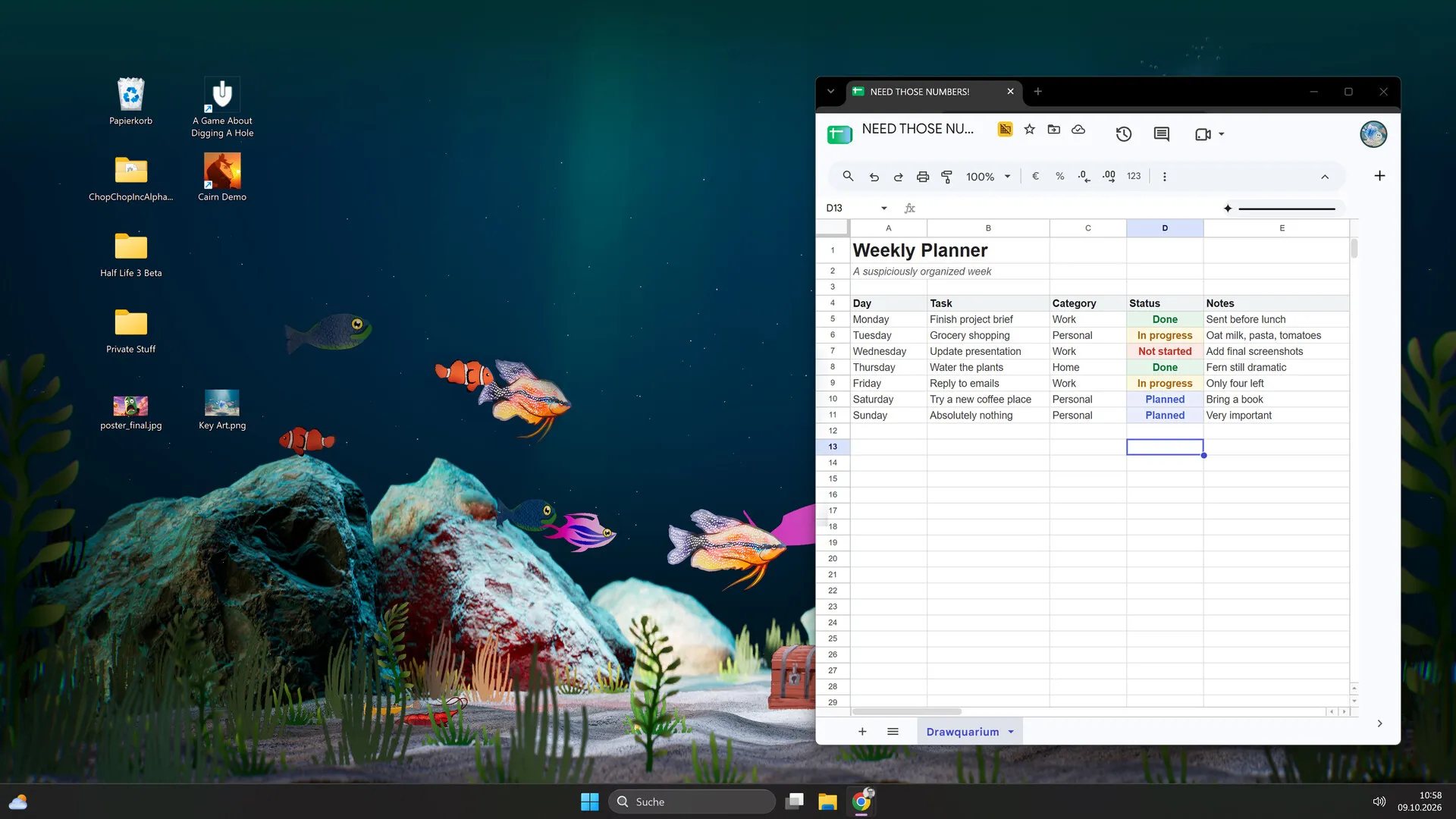
The desktop layer is the feature that turns Drawquarium from “a game I open” into “a tank I keep”. The launch build appears to deliver it, with caveats:
- It works behind normal windows. Players describe leaving it running while working and feeding fish during short breaks.
- It can span monitors, but do not expect a supported matrix. The developer lists distortion with several monitors as a known issue. Test your exact layout during the refund window.
- Sleep Mode is the quality/performance dial. Find it in the Wallpaper menu. Turning it off keeps quality up; leaving it on saves resources.
- The taskbar can trap the return button. Use the tray icon or the documented workaround if the in-game button disappears.
Is $9.59 the right price?
The launch price is doing a lot of work in the reviews. Players compare it to a cinema ticket or a cheap toy, not to a full-price management sim. At $9.59, the amount of creative control — drawing fish and plants, importing PNGs, decorating, breeding, cleaning and running the tank as wallpaper — is a reasonable trade. At $11.99 after November 27, the same content is still fair, but the “impulse buy” framing weakens.
The comparison that matters is not Drawquarium versus a AAA game. It is Drawquarium versus the free demo. The demo gives you the core loop; the full game adds more content, unlocks and the desktop layer. If the demo felt like a chore, the extra fish will not fix that.
Who should wait
- You need goals or progression to stay interested. The sandbox is gentle by design; the task list is a nudge, not a campaign.
- You want a Photoshop-grade editor. Import a PNG or wait for Workshop support, which has not been announced.
- Your PC is below the listed minimum. The developer explicitly asks older-hardware owners to try the demo first.
- Wallpaper Mode is the only reason you want it. Test the demo and the desktop layer before buying, and watch for performance patches.
- You want multiplayer. There is none, and none has been announced.
Still unverified
- Whether fish can die from neglect, and what happens to a completely neglected tank.
- The exact breeding requirements, gestation time and inheritance rules.
- The population cap and whether large tanks hit a performance cliff.
- Community Gallery moderation, reporting and parental controls.
- Post-launch roadmap, Workshop support and achievement plans.
The verdict
Drawquarium’s launch is a small, specific success: a solo developer shipped the game the trailer promised, the first buyers are happy, and the launch build contains more simulation than the store copy suggests. The weaknesses are equally specific: Wallpaper Mode needs tuning, the editor is simple by design, and the long-term content plan is unknown.
If you have watched the tank for ten minutes in the demo and wanted to keep going, buy it at $9.59. If you are buying for the idea of a desktop aquarium, test Wallpaper Mode first. If you need a game that tells you what to do next, this is not that game — and the developer says so himself.
Launch-day questions
Is Drawquarium worth buying at launch?
If the free demo’s draw-feed-watch loop appealed to you, the $9.59 launch price is a fair ask. Three days after launch, Steam is Very Positive at 98% from 325 reviews; the biggest recurring complaints are about Wallpaper Mode performance rather than the core game.
Is Drawquarium Very Positive on Steam?
Yes. On November 16, Steam showed Very Positive with 98% of 325 Steam-purchaser reviews positive. Launch evening was a smaller 57-review, 100% sample; the larger sample now includes six negative reviews.
Does Drawquarium work on Steam Deck?
Steam badges it Playable. The developer FAQ still says Linux and Steam Deck are not officially supported, so treat the badge as Valve’s test result rather than a developer guarantee. A launch-day player also reports it running on Linux Mint via Proton.
How long is the launch discount?
The 20% introductory offer ends November 27, 2026. The US price is $9.59 during the sale and returns to the $11.99 base price afterwards, unless the developer changes it.
Does Drawquarium have multiplayer?
No. It is single-player only. You can share pictures and use Family Sharing, but there is no online co-op, matchmaking or shared live tank.
Can fish die in Drawquarium?
Not confirmed. The store describes dirty tanks and sour relationships, not death. Launch-day reviews describe feeding and cleaning without mentioning starvation. We are not claiming either way yet.
Advertisement
Sources for this page
Checked November 16, 2026Listed claims on this page were checked against the records below. If a detail is not in these records, it is labelled as unconfirmed rather than presented as fact.
- 01 Drawquarium customer reviews on Steam — Steam Community
Review snapshots: launch evening (21:30 UTC, November 13) was Very Positive with 100% of 57 Steam-purchaser reviews positive. On November 16 the page showed Very Positive with 98% of 325 Steam-purchaser reviews positive, 359 total including key activations and 6 negative. Reviews describe PNG import, feeding behaviours, cleaning, breeding, moving fish between aquariums, performance and multi-monitor Wallpaper Mode.
- 02 Drawquarium on Steam — Valve / byKaleb / rokaplay
Store description, release date, languages, features, requirements, tags, bundles and platform list. Checked November 16, 2026: released November 13; $9.59 with a 20% introductory offer ending November 27; Steam Deck Playable; 17 screenshots; two trailers; eight bundles; Steam Cloud, Family Sharing and single-player listed; no achievements. The page shows Very Positive (325 reviews, 98% positive).
- 03 Drawquarium is OUT NOW! — Kaleb Lechowski (Steam announcement)
November 13, 2026 launch post: confirms the release, repeats the advice to try the free demo first (especially on older hardware), and explains that Wallpaper Mode’s Sleep Mode lowers graphics quality on purpose and is adjustable in the Wallpaper menu.
- 04 Drawquarium current player count (Steam API) — Valve
Point-in-time API readings: 847 concurrent players at about 21:30 UTC on launch day (November 13, 2026) and 710 on November 16. These are snapshots, not peaks or sales estimates.
- 05 Drawquarium FAQ (developer thread) — rokaplay / Steam Community (developer)
Pinned November 10, 2026 FAQ, rechecked after launch: demo fish and aquariums carry over, no achievements yet, Linux/Steam Deck not officially supported, PNG import guidance (850×850 for a big fish), no layers, pressure settings, zoom and colour shortcuts, clone instead of rename, plants unlock from a ground fish, pause while drawing if it slows down, and how to leave feeding mode.
- 06 Steam refunds — Valve
Valve’s standard refund policy: generally within 14 days of purchase and under 2 hours of playtime, subject to Valve’s rules and exceptions.
- 07 Drawquarium - Official Release Date Trailer (IGN) — IGN / YouTube
On November 14, 2026 the video showed 2,358,233 views, up from 2,009,355 on November 8. Published October 26, 2026; 46K likes at the earlier check.
Read how we classify evidence in our editorial policy.
Quick status