Fish care & life
How to clone a fish in Drawquarium (and what cloning cannot do)
Cloning is the workaround for the two most common fish-management problems: you cannot rename a living fish, and duplicating a tank does not duplicate its residents. Here is the exact behavior.
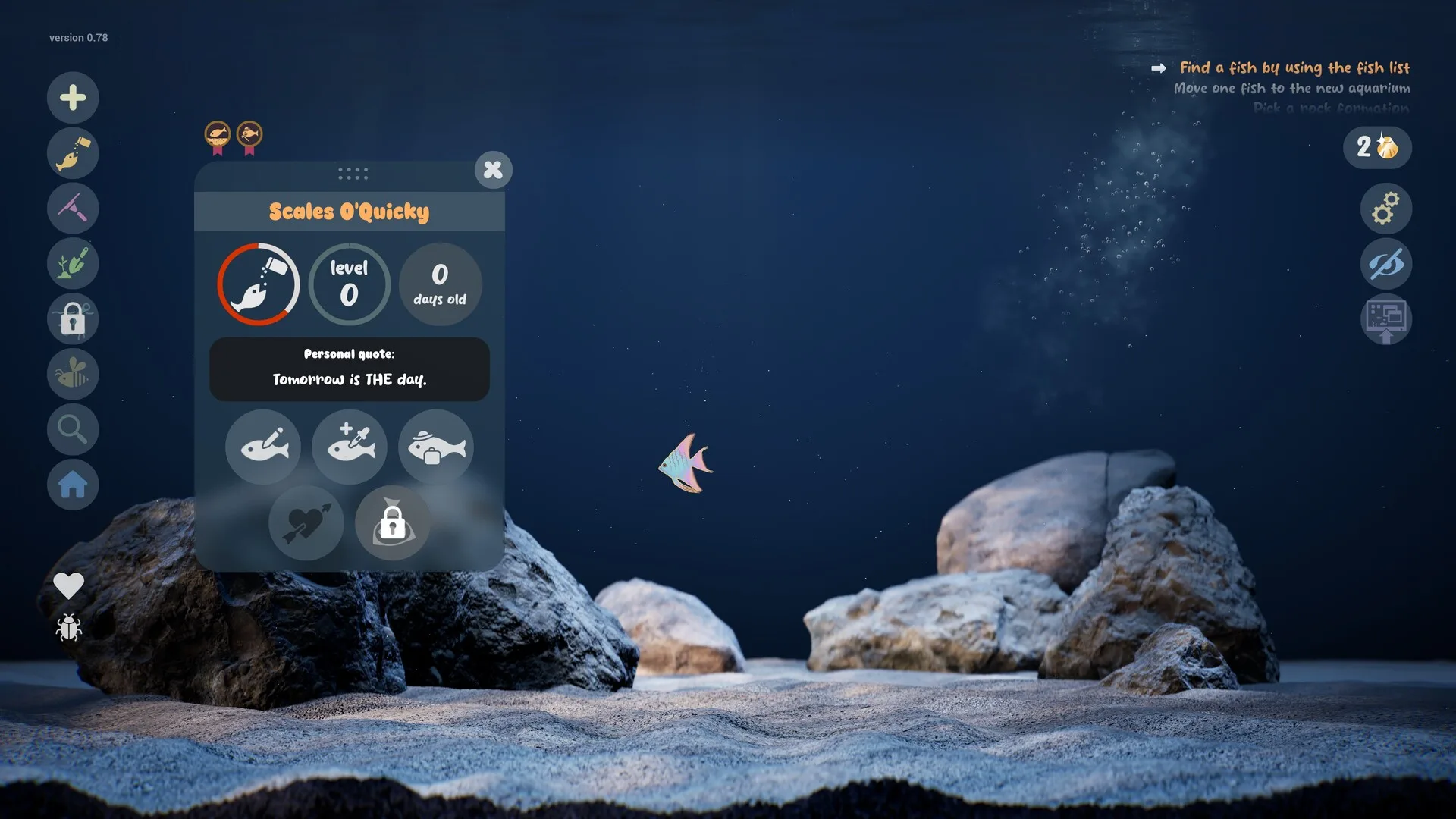
The developer’s FAQ is unusually specific about cloning, renaming and restoring fish. This page collects those rules in one place, separates them from guesses, and explains what to do when a fish ends up with the wrong name or the wrong tank.
The short answer
| Action | What happens |
|---|---|
| Clone a fish | A copy starts as a baby. |
| Rename a living fish | Not possible. Clone or re-import. |
| Duplicate an aquarium | Everything except the fish is copied. |
| Move a fish | Tutorial-gated; then supported. |
| Deleted aquarium | Fish are gone; textures may remain. |
How to clone a fish
- Open the tank that contains the fish you want to copy.
- Select the fish so its profile card appears.
- Choose Clone. The developer says the clone starts as a baby, not as an adult copy.
- Name the clone before it is alive. Once it is swimming, the name is locked.
- Place or move it to the aquarium you want. Moving fish between tanks is a tutorial step.
Cloning is useful for keeping a favourite design while experimenting with a new tank, or for populating a second aquarium without redrawing the same fish. It does not preserve the parent’s age, level or relationships.
Why you cannot rename a fish
The developer’s FAQ says a living fish cannot be renamed. The intended workaround is to clone it, or to import its texture again and give the new fish the name you want. The developer specifically asks players not to rename the texture files by hand. Renaming a file can break the link between the save and the texture.
Duplicating a tank does not duplicate fish
Duplicating an aquarium copies the layout, decor and settings, but not the fish. The developer’s FAQ says this explicitly. If you want the same fish in the new tank, clone the fish separately or move it after the tutorial unlocks moving.
The global fish list shows fish from all aquariums. That can make a fish look like it is in the wrong tank when it is simply listed from another one. Check the tank name on the profile before assuming a move failed.
Restoring a deleted fish
If you delete an aquarium with fish in it, the developer says the fish are gone, but the textures usually still exist. The recovery path is:
- Open the game’s texture/save folder (the developer refers to files ending in something like
png_byebye). - Find the file that matches the lost fish.
- Rename it so it ends in
.png. - Import it again as a new fish.
- Name the new fish and place it.
This restores the look, not the age, relationships or history. It is a recovery trick, not a backup system. Keep the original PNGs for any fish you care about.
What cloning cannot do
- It cannot rename the original. The parent keeps its name; the clone gets a new one.
- It cannot copy age or level. The clone starts as a baby.
- It cannot copy relationships. The clone has to form its own bonds.
- It cannot duplicate a tank’s fish. Duplicate the tank, then clone each fish separately.
- It cannot restore a deleted tank’s history. Only the texture may survive.
Clone FAQ
How do I clone a fish in Drawquarium?
Select the fish and use Clone. The developer says the clone starts as a baby, so it will not copy the parent’s age or current level.
Can I rename a fish after it is alive?
No. The developer’s FAQ says a living fish cannot be renamed. Clone it, or import its texture again and name the new fish. Do not rename the texture files by hand.
Does duplicating an aquarium copy the fish?
No. Everything except the fish is copied. The fish list still shows all fish across all aquariums, which can make it look like a fish moved.
I deleted an aquarium. Are the fish gone?
The fish are gone, but the developer says the textures usually still exist. Look for a file ending in something like “png_byebye”, rename it to end in “.png” and import it again.
Can I move a fish to another aquarium?
Yes, once the tutorial unlocks the move action. The developer says moving fish between aquariums is one of the tutorial steps.
Advertisement
Sources for this page
Checked November 16, 2026Listed claims on this page were checked against the records below. If a detail is not in these records, it is labelled as unconfirmed rather than presented as fact.
- 01 Drawquarium FAQ (developer thread) — rokaplay / Steam Community (developer)
Pinned November 10, 2026 FAQ, rechecked after launch: demo fish and aquariums carry over, no achievements yet, Linux/Steam Deck not officially supported, PNG import guidance (850×850 for a big fish), no layers, pressure settings, zoom and colour shortcuts, clone instead of rename, plants unlock from a ground fish, pause while drawing if it slows down, and how to leave feeding mode.
- 02 How do you make a new aquarium? (developer reply) — Steam Community / byKaleb
Developer reply on launch day: the top-right tutorial unlocks more aquariums, and moving fish between aquariums is one of the tutorial steps. The option is intentionally gated behind the short tutorial.
- 03 Drawquarium customer reviews on Steam — Steam Community
Review snapshots: launch evening (21:30 UTC, November 13) was Very Positive with 100% of 57 Steam-purchaser reviews positive. On November 16 the page showed Very Positive with 98% of 325 Steam-purchaser reviews positive, 359 total including key activations and 6 negative. Reviews describe PNG import, feeding behaviours, cleaning, breeding, moving fish between aquariums, performance and multi-monitor Wallpaper Mode.
Read how we classify evidence in our editorial policy.
Quick status