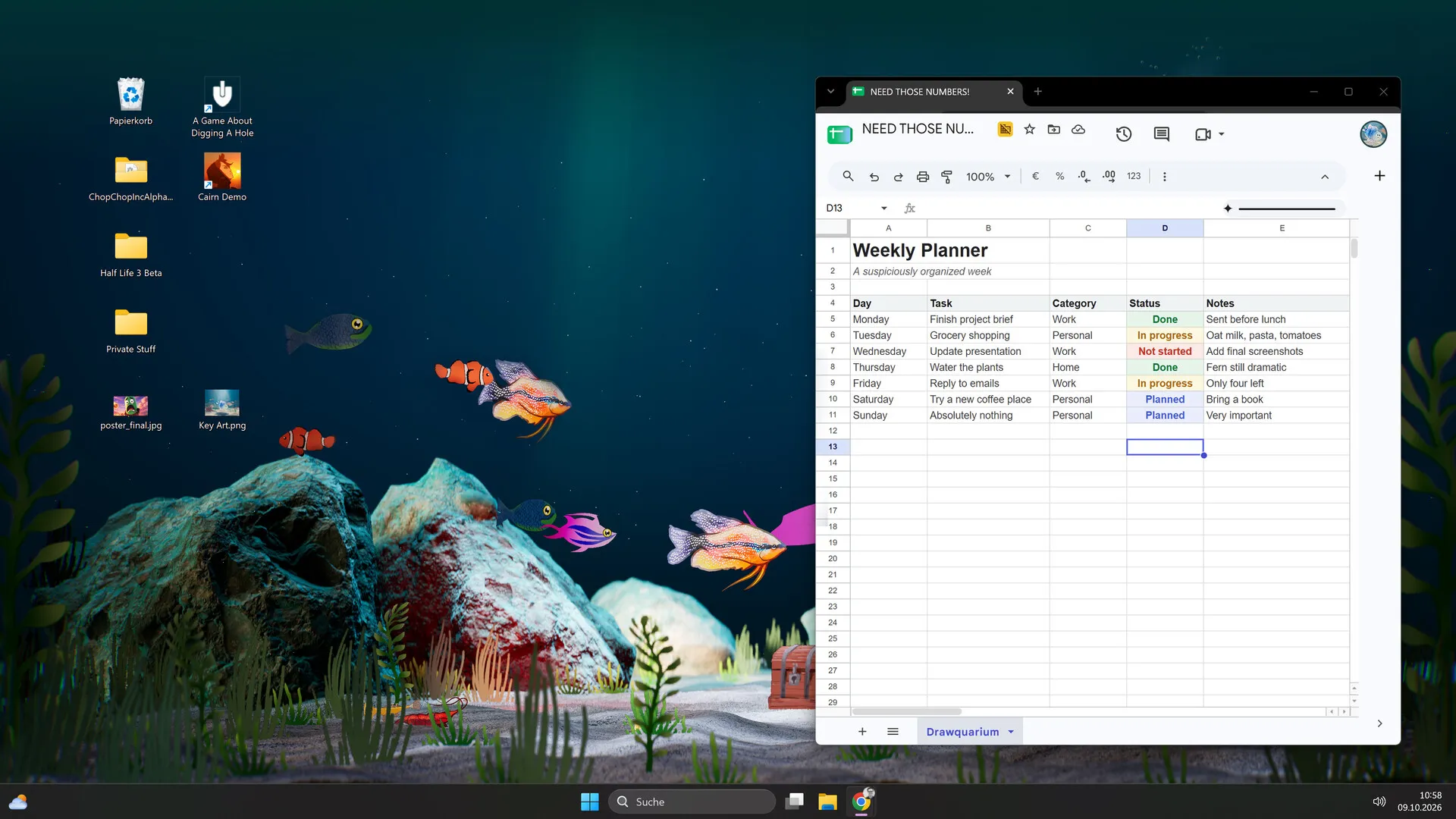
Desktop & focus
Drawquarium’s focus tools: journal, checklist, timer and clock
Drawquarium is trying to be a place you leave open while you work. That is a crowded category, and a game needs a good reason to sit next to your actual task list. Here is what the built-in tools actually offer.
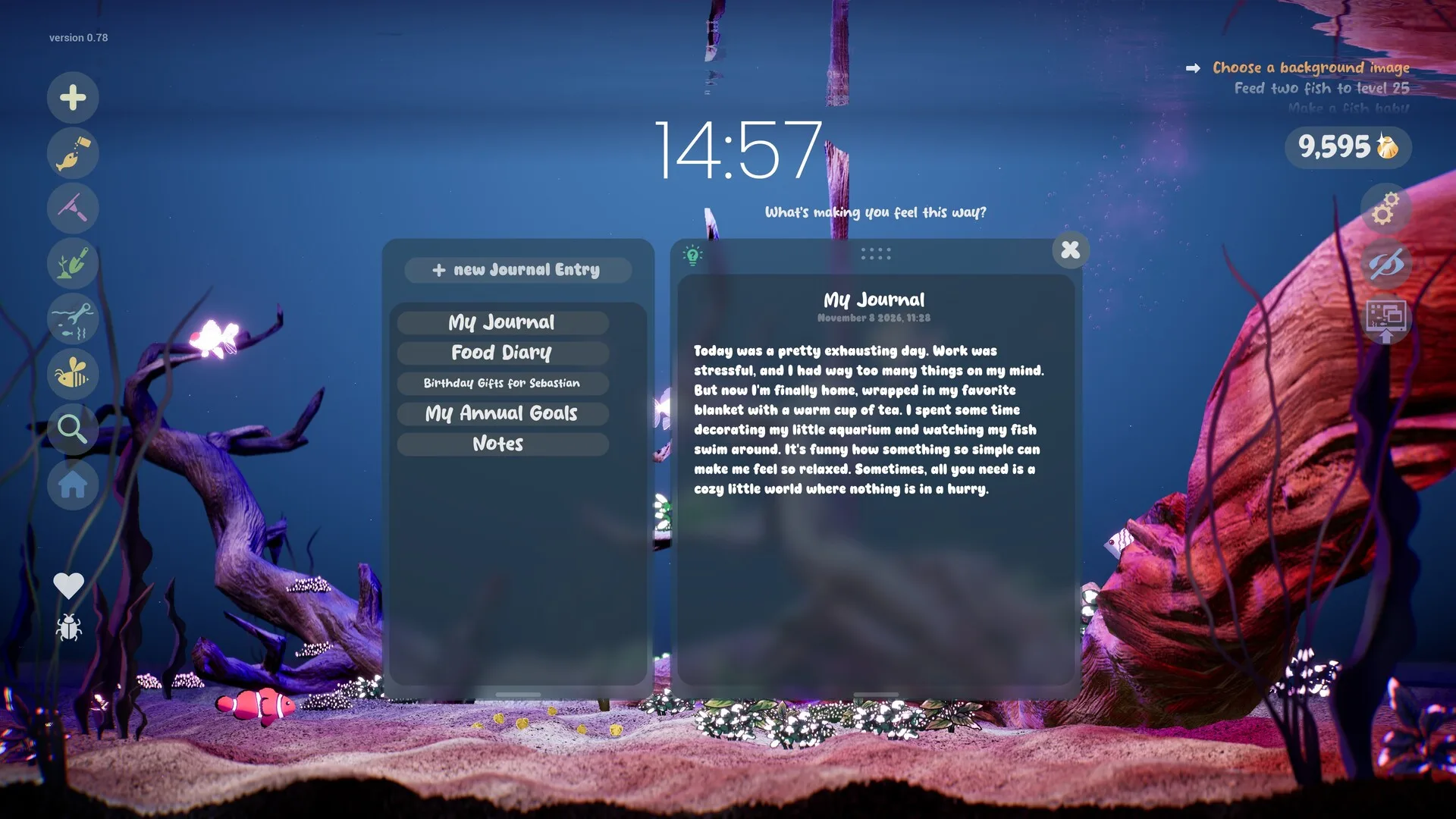
The developer’s September 2026 update describes a journal, a checklist, a timer and a clock with the current date and weekday. The store also mentions a task manager, to-do list and ambient sound mixing. These are real features, not a productivity metaphor. What they are not is a replacement for a dedicated task manager.
What is included
Journal
OfficialMultiple named entries, including a food diary and notes in the official screenshot.
Checklist
OfficialA simple list that sits over the tank. The official screenshot shows a grocery-style list.
Timer
OfficialA visible countdown in the aquarium view.
Clock
OfficialA large clock with the current date and weekday.
Goals
OfficialA separate task list of gameplay objectives, not work tasks.
Ambient sound
OfficialMix underwater and ambient audio to set the atmosphere.
The journal
The journal is a set of named entries that can be opened over the aquarium. The official screenshot shows tabs for “My Journal”, “Food Diary”, “Birthday Gifts for Sebastian”, “My Annual Goals” and “Notes”, plus a full entry with a date. That suggests you can keep separate notebooks rather than one long scroll.
The useful part is context. Writing a short entry while looking at the tank is a different ritual from opening a separate notes app. The risk is that a game journal feels precious: you may not want to put real work notes in a place that could be lost with a save file. Use it for low-stakes notes, reflections or a tank diary, and keep critical work elsewhere.
Checklist and goals are different
There are two lists, and conflating them will make both worse:
- The checklist is a general to-do list. The screenshot shows items like “Protein Bar” and “Something healthy (maybe carrots?)” — everyday tasks, not game objectives.
- The goal list is the game’s progression guidance: feed fish, make a baby, use the fish list, pick a rock formation. It tells you what to do next in Drawquarium.
Use the checklist for three things you actually intend to finish today, not a fantasy list of twelve. Use the goals when you want direction in the game and do not care what to do at work.
Timer and clock
The timer is a visible countdown, and the clock shows the time, date and weekday in large type. That makes the aquarium a legitimate focus screen: you can see the time without Alt-Tabbing, and the timer gives a session a boundary.
The official material does not specify whether the timer supports custom durations, repeat sessions, breaks or notifications. A 25-minute Pomodoro may or may not be configurable. If you need a strict timer, use a dedicated one and treat the in-game timer as a visual cue.
Ambient sound mixing
The developer says more music and ambient sounds were added, and that players can mix different underwater and ambient sounds. The exact number of tracks and whether they can be layered independently is not documented. The practical use is obvious: a quiet underwater bed for work, something livelier for a short session, silence when you need to concentrate.
Three routines that fit the tools
The 25/5 tank break
25 minutes of work with the tank on the desktop, then a five-minute break to feed, vacuum and collect scales. The timer provides the boundary; the care loop provides the break.
The evening journal
Open the journal once, write three lines about the day, then check the fish profiles. No productivity goal, just a ritual with a visible living space.
The weekend aquascape
Use the checklist for the real-world tasks you want to finish, then reward yourself with a decoration session. Keep the game goals separate so the tank does not become another inbox.
Privacy and limits
The journal and checklist appear to be local game features. There is no account system, no cloud sync and no online sharing listed on the Steam page. That is good for privacy, but it also means the data lives with the save file: a lost save can mean a lost journal.
- Do not treat it as a secure vault. It is a game journal, not an encrypted notes app.
- Keep sensitive work elsewhere. Passwords, client data and personal records do not belong in a game save.
- Back up the save if the journal matters. The developer added backup saves, but the location and restore process are not documented publicly.
- Check before sharing screenshots. The journal is rendered on screen and can be captured with the tank.
The focus tools are a nice extra, not a reason to buy the game on their own. If you want a full task manager, use one. If you want a calm place to write a few lines and watch fish, this is exactly the right size.
Sources for this page
Accessed November 1, 2026Listed claims on this page were checked against the records below. If a detail is not in these records, it is labelled as unconfirmed rather than presented as fact.
- 01 Drawquarium on Steam — Valve / byKaleb / rokaplay
Store description, release date, languages, features, system requirements, tags and platform list.
- 02 Drawquarium has changed a LOT since the demo in May — Kaleb Lechowski (Steam announcement)
September 18, 2026 list of added and improved systems since the first demo.
- 03 Drawquarium Demo on Steam — Valve / byKaleb / rokaplay
Demo listing, free status, demo-specific feature bullets, system requirements.
Read how we classify evidence in our editorial policy.
Quick status